Move Move Movers»Blog»Electronics Packing Service Singapore: How to Pack Devices for Moving
Electronics Packing Service Singapore: How to Pack Devices for Moving
By Move Move Movers/ Published / Updated
A practical Singapore guide to electronics packing service scope, device preparation, cable control, screen protection, data custody and move-day access.
Fast answer: a professional electronics packing service starts with the actual device—not one universal wrapping rule. Back up important data, photograph the setup, label cables and accessories, record existing condition, follow the manufacturer instructions and put the packing, moving and reconnection split in writing.
Move Move Movers brings Singapore’s best, most professional and most dependable moving standard to electronics packing: disciplined inventory control, item-appropriate protection, careful physical handling and a clear handover.
Match protection to the model, condition and original packaging
Keep data, passwords and authorised custody with the correct owner
Plan access, placement and restart responsibilities before moving day
Singapore professional mover company
What an Electronics Packing Service Should Include
This guide explains electronics packing service, how to safely pack electronics, packing electronics for moving and device-preparation questions. Customers who need materials and assessed packing labour can review Move Move Movers’ professional packing service; a house move or office relocation remains a separate scope choice.
DeviceType, model, dimensions, condition, original packaging and permitted orientation.
DataBackup, removable media, passwords, authorised custody and restart priority.
RouteDoors, lift, loading point, rain exposure, vehicle placement and destination zone.
Professional electronics packing scope
Control
What should be written
Boundary to confirm
Inventory and condition
Device type, quantity, dimensions, photos, existing marks, original cartons and destination.
Undeclared, oversized or unusually heavy items can change the assessed scope.
Preparation
Who backs up data, shuts down equipment, removes media, maps cables and releases the item.
Technical disconnection, wall-mount work and system shutdown are not automatically packing tasks.
Packing method
Outer container, cushioning, screen and corner protection, anti-static method where required, labels and accessory control.
Materials and methods depend on the device, available original packaging and accepted quotation.
Handling and moving
Permitted orientation, lifting plan, trolley route, stairs or lift, loading point and vehicle placement.
Specialist systems may require separate expertise, equipment or vendor attendance.
Unpacking and handover
Carton placement, protection removal, agreed unpacking and condition handover.
Reconnection, mounting, calibration and testing may remain with the owner or technician.
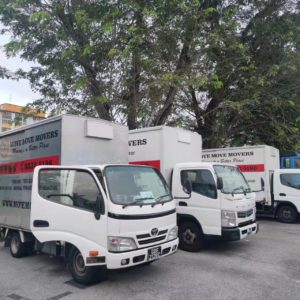
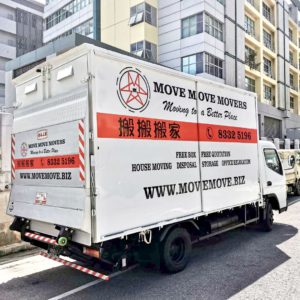
14ft lorry of Move Mover Mover
Use the current moving price guide to understand common scope drivers. Exact materials, manpower, vehicle, timing, availability, accepted devices, unpacking and other included work remain job-specific confirmation items in the accepted quotation.
How to Safely Pack Electronics for Moving
For anyone researching how to pack electronics for moving, the strongest sequence starts before the first carton is opened.
Back up and assign custody. Confirm important files are backed up and decide which laptops, drives, credentials or small devices stay with an authorised person.
Record condition and setup. Photograph screens, cases, ports, stands, existing marks and cable connections before unplugging.
Shut down correctly. Follow the device and software process; remove loose media or detachable parts only where the manufacturer guidance allows.
Build a cable map. Label both ends, bag screws and stands, and keep each remote, adaptor, dongle and power supply with the correct device ID.
Choose item-appropriate protection. Check intact original packaging first; otherwise use a sound outer container, clean cushioning and protection that prevents pressure on vulnerable parts.
Control movement and orientation. Fill usable voids without forcing material against screens, ports or controls. Add handling labels after physical protection is complete.
Close the carton record. Add device, destination and carton IDs without exposing passwords or sensitive customer information.
Device-specific preparation and packing controls
Device
Preparation
Packing control
TVs and monitors
Photograph ports; remove a detachable stand only when instructions permit; bag the hardware.
Keep pressure away from the display, protect corners and confirm the permitted orientation.
Desktop computers and consoles
Back up, shut down, remove loose media and identify components needing approved support.
Prevent case movement and keep cables and controllers assigned to the correct unit.
Laptops, tablets and drives
Back up and power down; retain critical small devices under controlled custody where practical.
Use fitted or suitable protection inside a firm container, away from heavy loose items.
Printers and scanners
Follow the manual for cartridges, toner, trays, transport locks and detachable parts.
Keep the unit in its required orientation and prevent loose parts from shifting.
Bare components or specialist systems
Identify anti-static, fitted-case, service-vendor or specialist requirements before packing.
Do not improvise one method for exposed boards, servers, laboratory or medical equipment.
Plan the Singapore route before sealing large cartons
Measure large screens and cartons against doors, corridor turns, stairs and lift openings.
Confirm the approved moving window, assigned lift, loading point and protection rules with the current managing agent.
Record long pushing distances, uncovered loading areas, stairs and vehicle restrictions.
Keep electronics dry during rain and away from wet staging areas.
Use the special-items moving route for oversized, unusually heavy, highly fragile or specialist equipment.
Professional Moves SG
Every device has a model, photo, condition and destination record.
Cables, remotes, stands and accessories stay with the correct device ID.
Original packaging and alternative protection have been assessed.
Owner, packing team, moving team and technician responsibilities are written.
Both locations’ access, lift, loading and rain-exposure controls are known.
Restart priorities and missing-item escalation are agreed before loading.
After the Move: Inspect, Unpack and Reconnect
Place each carton in its planned dry area, inspect the outer packaging and compare the item with the condition record before powering it on. If equipment is damp or has experienced a significant temperature change, keep it unplugged and follow the manufacturer instructions instead of relying on one universal waiting time.
Confirm carton and device IDs before opening.
Photograph unusual carton damage, moisture or device condition before discarding protection.
Let the authorised owner or technician reconnect, mount, calibrate and test anything outside the moving scope.
Check cables, remotes, stands, media and accessories against the inventory.
Close the handover only after missing items, condition concerns and scope changes are recorded.
Keep responsibility visible
Owner or IT leadBackup, passwords, data retention, shutdown approval, custody and restart priorities.
Packing teamDeclared packing method, materials, labels and owner-packed-item boundary.
Moving teamAgreed physical handling, route, loading, transport and placement.
Technician or vendorSpecialist disconnection, mounting, reconnection, calibration or commissioning where needed.
For business devices, current PDPC data-protection obligations support reasonable security arrangements for personal data. The organisation should keep custody and access decisions visible; ordinary moving scope does not silently transfer that responsibility.
Unwanted electronics are a separate decision. NEA’s current e-waste management guidance explains recognised product categories and collection routes. Use the appropriate office electronics recycling guide when disposal—not relocation—is the real intent.
Device decision lab
Choose protection by failure point, not by the word “electronics”
A television, laptop, desktop tower, printer and network appliance do not share one safe packing formula. Build the scope from the actual model, its vulnerable parts, data custody, original packaging, access route and the person responsible for restart.
01 · Device map
Match the packing decision to the device class
Start with manufacturer instructions and intact model-specific packaging when available. Where packaging is missing or unsuitable, the alternative should be assessed from the actual dimensions, weight, condition and vulnerable surfaces instead of copied from another device.
SCREEN
Televisions & monitors
Record the stand or mount, screen condition, dimensions and approved orientation. Avoid pressure on the panel; keep removed fittings in a labelled parts bag linked to the device ID.
SYSTEM
Desktop towers & consoles
Back up, shut down correctly and identify detachable media, cables and peripherals. Any internal-component preparation or technical inspection stays with the owner or appointed specialist unless expressly agreed.
CUSTODY
Laptops, drives & small devices
Decide which items remain with an authorised person. Keep passwords, access tokens and data-handling decisions outside ordinary carton labels and moving instructions.
MOVING PARTS
Printers & office machines
Follow the model instructions for paper, trays, consumables, locks and removable parts. Record anything that must remain upright or be prepared by the equipment owner before physical handling.
DEPENDENCY
Network & smart-home equipment
Map device IDs, power supplies, ports and destination zones. Configuration backup, shutdown sequence, rack work and recommissioning should have a named technical owner.
SEPARATE PARTS
Audio, cameras & accessories
Protect lenses, controls, grilles and other vulnerable parts according to the item. Keep each cable, adaptor, remote, stand and case associated with the correct device record.
02 · Verifiable manifest
Give every device a record that survives the move
A useful device manifest connects preparation, packing, transport, placement and handover. It helps the owner and moving coordinator discuss the same item without relying on a folder of unlabeled photos.
Field
Record
Why it matters
Device ID
Short unique code, device type and model
Connects the device, accessories, carton and destination.
Condition
Clear photos of screen, case, ports and existing marks
Creates a shared pre-move reference before packaging hides the item.
Packaging
Original box status, fitted inserts, case or assessed alternative
Prevents “boxed” from being mistaken for model-appropriate protection.
Parts
Cables, remotes, stands, screws, media and power supply
Reduces device mix-ups and makes restart checking more orderly.
Custody
Owner-carried, moving scope or appointed technical handler
Keeps data-bearing and access-sensitive items with the intended party.
Destination
Room or zone, placement instruction and restart priority
Supports the unload sequence without exposing sensitive system details.
Privacy boundary: do not place passwords, unlock codes, customer information or security credentials in a carton label or mover-facing manifest. The business or device owner controls that information.
03 · Responsibility split
Separate physical handling from technical authority
Write the handoff between the device owner, packing team, moving team and any installer or IT vendor. A clear boundary is more useful than assuming one booking includes shutdown, disconnection, transport, mounting, reconnection and testing.
Owner or appointed specialist
Controls systems and data
Backup, credentials and authorised access
Device-specific shutdown and technical disconnection
Configuration, licensing and destination readiness
Mounting, calibration, reconnection and acceptance testing
Physical scope when written in the quote
Controls packing and movement
Declared protective materials and packing method
Numbered cartons or devices and handling route
Transport and placement by destination code
Visible-condition and scope-exception reporting
Before sealing
Run four checks against the real device
The packer and device owner should be able to explain why the container, route, label and handover fit this item. If one answer is missing, keep the affected device out of the ready-to-load group until the responsibility or packing decision is resolved.
Container: the outer box or case closes without being forced, vulnerable surfaces are not carrying avoidable pressure, and loose components cannot move freely.
Route: the packed dimensions, required orientation and handling path fit the known doors, turns, lift, loading point and destination placement.
Record: the device ID matches its carton, accessories, parts bag, destination and custody decision without revealing confidential information.
Handover: the receiving owner knows who inspects, reconnects and tests the device, and what to record before damaged packaging is discarded.
04 · Ready to assess
Send a scope that can be checked before moving day
For an electronics packing service enquiry, send the device list, photos, dimensions, original-box status, both addresses, access conditions, dates and the owner–packer–mover–technician split. State whether you need packing only, packing with a move, or preparation for storage.
When comparing responses, check that each one covers the same devices, materials, preparation boundary, access route, placement and handover. Ask the provider to record exclusions and job-specific confirmation items instead of assuming that a broad phrase such as “electronics included” describes technical work, specialist attendance or every accessory.
Choose the guide that matches the taskUse the complete checklist for the whole home; use this page for devices.
It is often the best reference when the carton and fitted inserts are intact, dry and complete for that model. Damaged or missing packaging may require an assessed alternative.
Can movers disconnect and reconnect every device?
No universal assumption is safe. Simple owner-approved cable removal differs from servers, mounted displays, network equipment or specialist systems that may require an IT vendor, installer or technician.
Should every television be transported upright?
Use the manufacturer instructions and assessed packing method for the actual model. Do not replace device-specific guidance with one rule for every screen.
Does “insured mover” mean every electronic item is fully covered?
No. Review the actual insurance and claims information, insured party, covered activity, declared items, limits and exclusions instead of assuming identical treatment for every device or circumstance.
Electronics packing brief
Turn the device list into a professional written scope
Send both addresses, device photos and dimensions, original-packaging status, access details, packing and move dates, and any technical or data-custody boundary. You can also read current Move Move Movers reviews before requesting the written scope.